
Find out why your product page isn't selling. Then fix it.
CR Scan AI looks at your product page, shows what's stopping shoppers from buying, and builds the fixes for you. You preview everything, and nothing goes live until you save.
No CRO skills needed. You approve every change.
- Finds issues on your product page
- Builds the fixes
- Nothing goes live until you save


CR Scan AI
- No reviews near Add to cart
- Vague description
- No shipping info
Traffic without sales is ad spend you've already lost
Guessing what's wrong
See the exact issues on your page.
Generic advice: 'add reviews', 'install an app'
Fixes made for your product.
No time or skills for CRO
AI builds the changes for you.
It reads your page the way a shopper does
CR Scan AI checks the parts of a product page that decide whether someone buys.
Is it clear what the product is?
Does it answer the buyer's questions?
Is there proof that others bought and liked it?
Are shipping, returns and secure payment visible?
Is the key information easy to find?
Is it obvious how to buy?
Not a to-do list. A fix, ready to apply.
Add a reviews section under Add to cart
Why it matters
Shoppers look for proof from other buyers before they decide.
Suggested fix
Add a reviews section with highlights from your product reviews.
Rewrite the product title for clarity
Rewrite the description to answer common questions
From scan to live in four steps
AI suggests. You decide.
Your live page never changes on its own. Fixes are applied to a draft, you preview them, and they go live only when you click Save.
If your page changed since the scan, CR Scan AI stops and asks you to scan again.
Applied Draft
- Reviews section under Add to cart
- Product title rewritten
Same product. A page that sells it better.
Swipe to compare →
Then make every order bigger
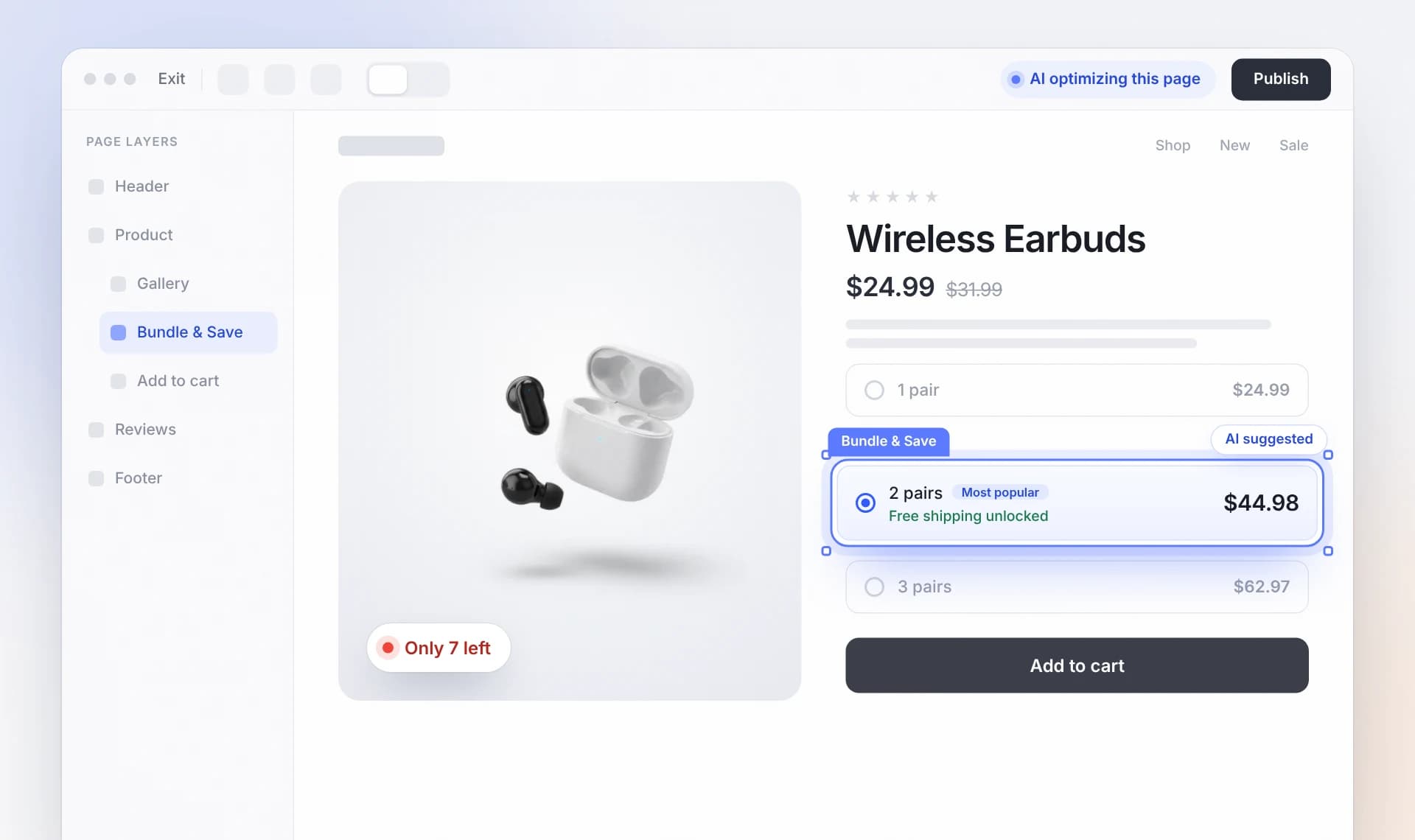
Fixing it yourself vs. CR Scan AI
Questions about CR Scan AI
Do I need CRO or design skills?
No. CR Scan AI explains each issue and builds the fix for you.
Will the AI change my store without asking?
No. You choose the fixes, preview them, and nothing goes live until you click Save.
Can I undo a change?
Yes. You can undo right after applying.
What does it scan?
Your product pages on ConvertCore.
What if I edit the page after a scan?
CR Scan AI won't apply outdated fixes. It asks you to scan again.
Turn your visitors into buyers.
No CRO skills needed. You approve every change.